 Renke Holert
3 min read
MS Project tasks in Microsoft Teams
Distributing and updating a MS Project schedule is time-consuming As a project manager, you work with Microsoft Project...


For project managers who have been managing their projects with Microsoft Excel, Microsoft now offers a very simple project management solution called Microsoft Planner Premium. If you want to import the tasks from Microsoft Excel into Microsoft Planner Premium, there are three steps to follow:
Save project plan in Microsoft Excel.

Open the Microsoft Project desktop app and select New from Excel workbook.

Select and open the Excel project file.

Click next in the Microsoft Project import wizard.

Click to continue.

Click to continue.

Select the task and deactivate the import of column headers in the example and click next.

Assign the columns from Excel to the columns in Project. In the example, click Name, Start and End and continue.

You will then see the Excel file in MS Project.

Save the task list as an MS Project file.
Go to Power Apps, select the Planner App
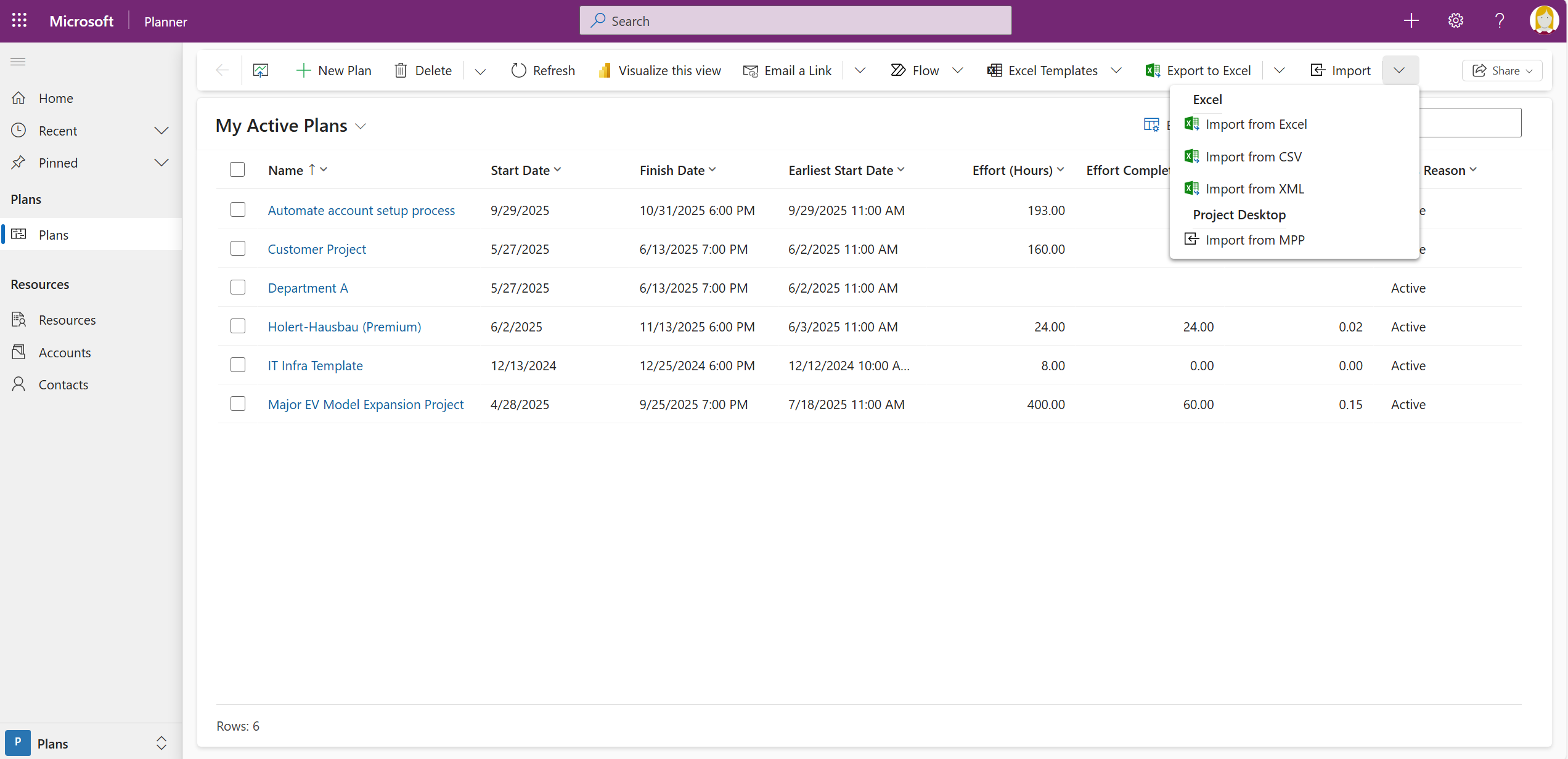
Select Import from mpp.
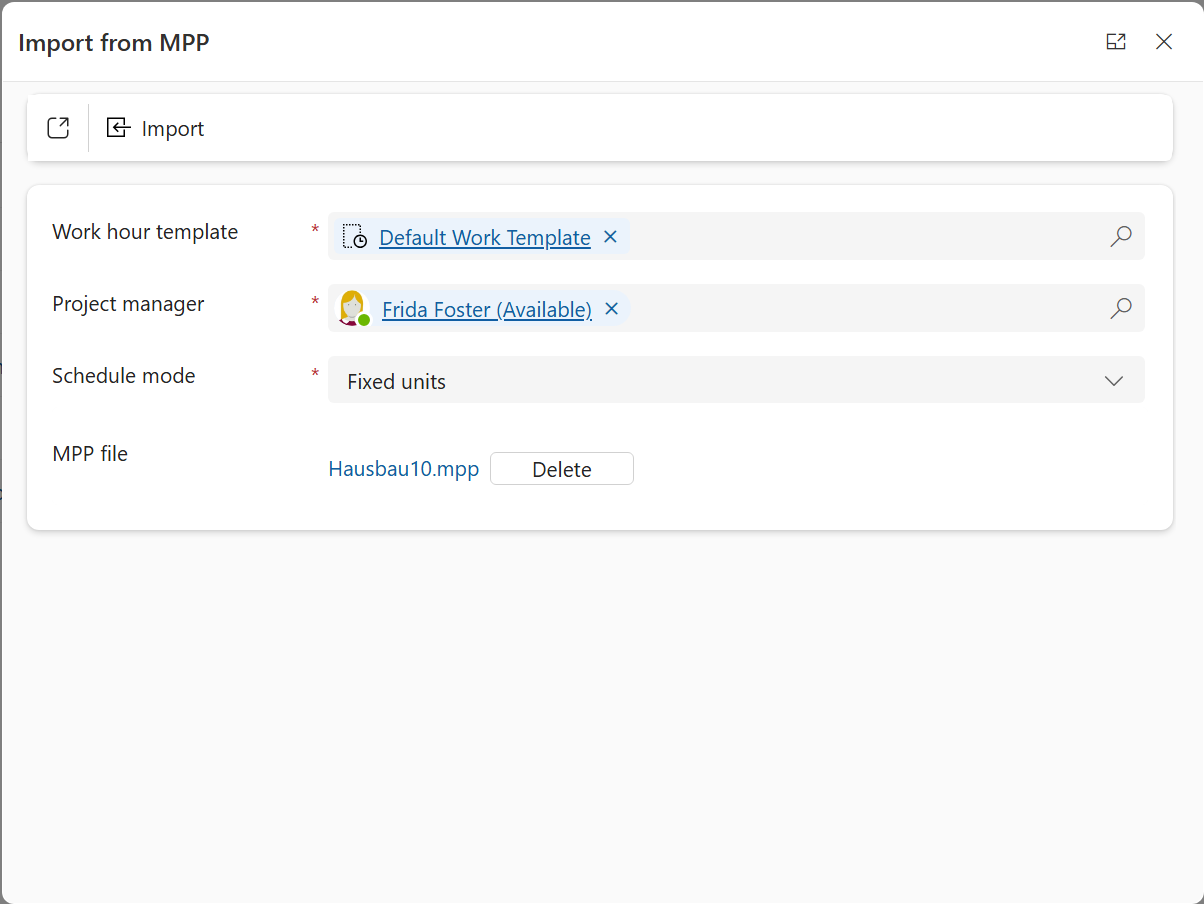
Select the previously saved project file and click Import.
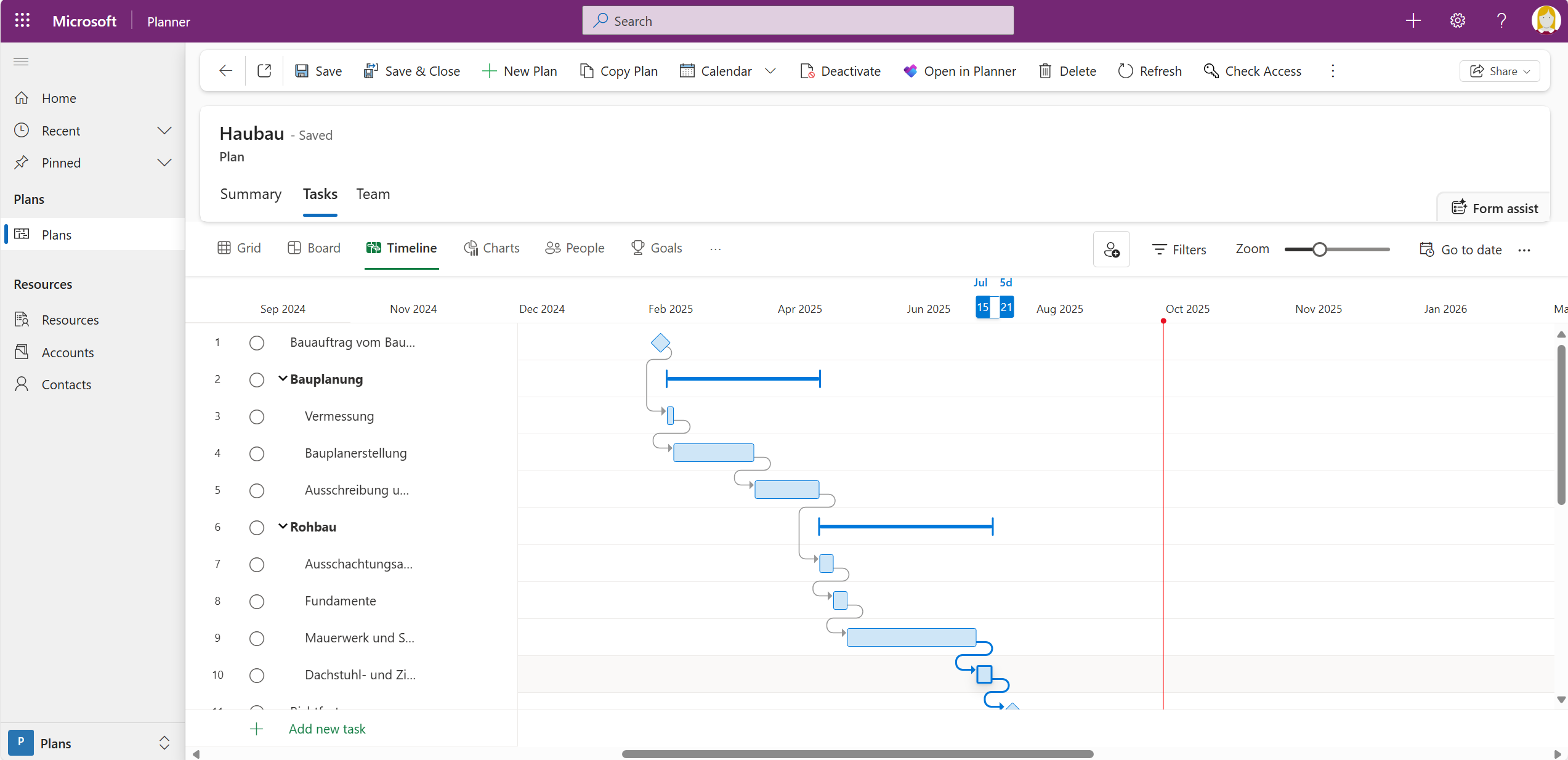
You will then see all the data from Microsoft Excel in Planner Premium.

Do you want to get a full overview about all your Planner Premiums Plans? Then sync all your Planner Basic and Planner Premium Plans with Altus and add missing features like Baselines, Resource Management, Portfolio Management.