 Renke Holert
7 min read
Import Excel file into Planner Premium
For project managers who have been managing their projects with Microsoft Excel, Microsoft now offers a very simple...

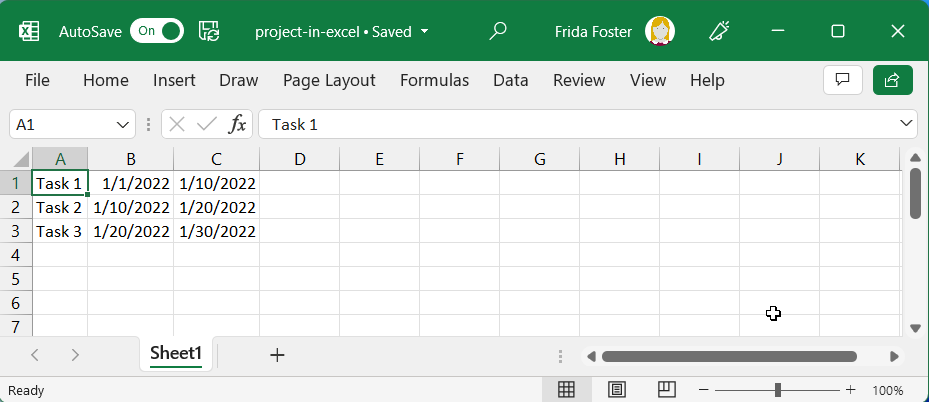
For project managers who have been managing their projects with Microsoft Excel, Microsoft now offers a very simple project management solution called Microsoft Planner Premium. If you want to import the tasks from Microsoft Excel into Microsoft Planner Premium, there are three steps to follow:
TL;DR
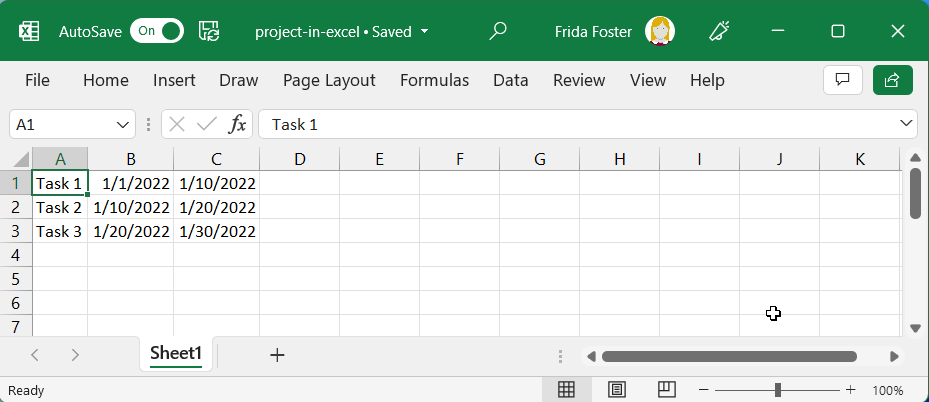
Save project plan in Microsoft Excel.
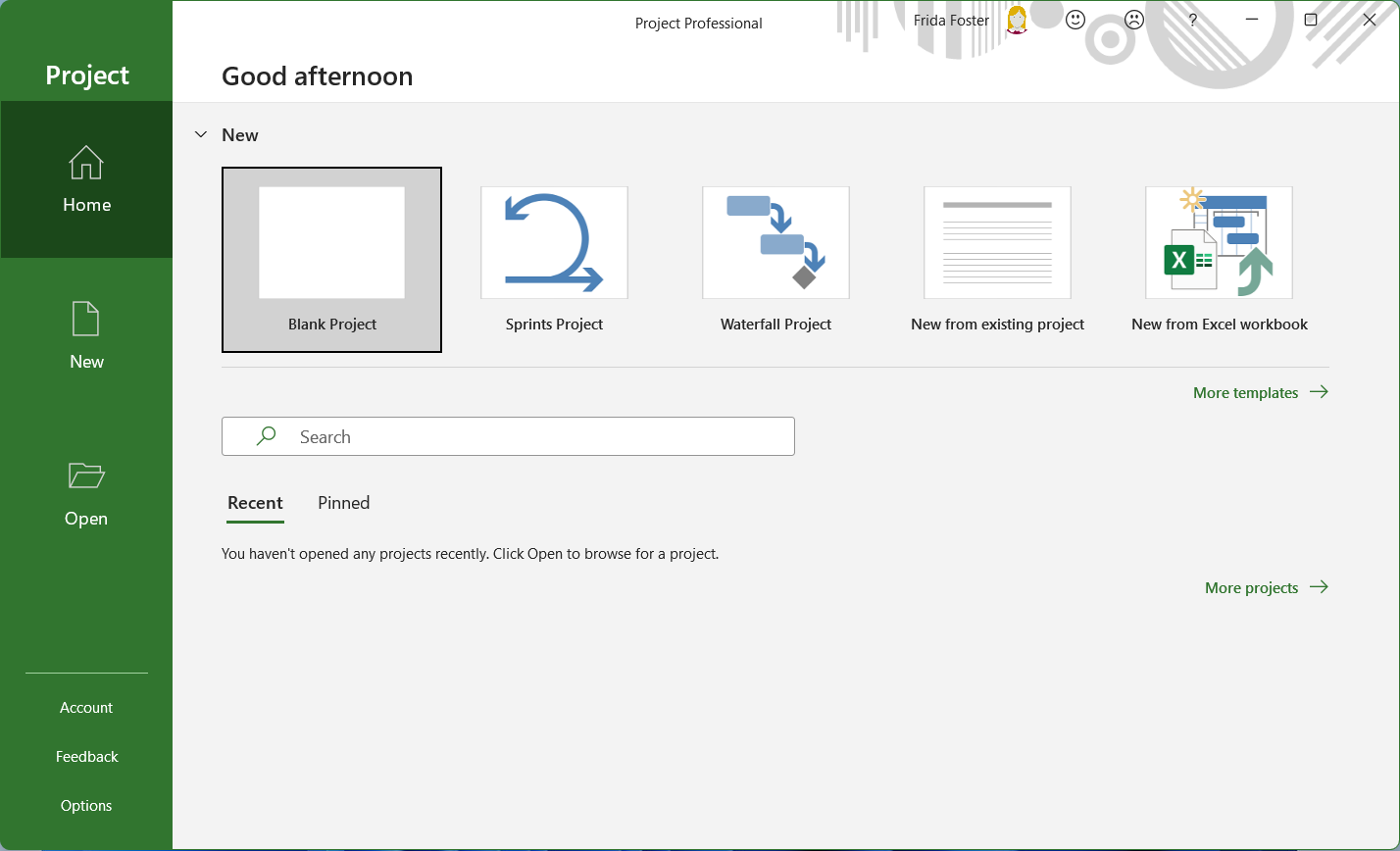
Open the Microsoft Project desktop app and select New from Excel workbook.
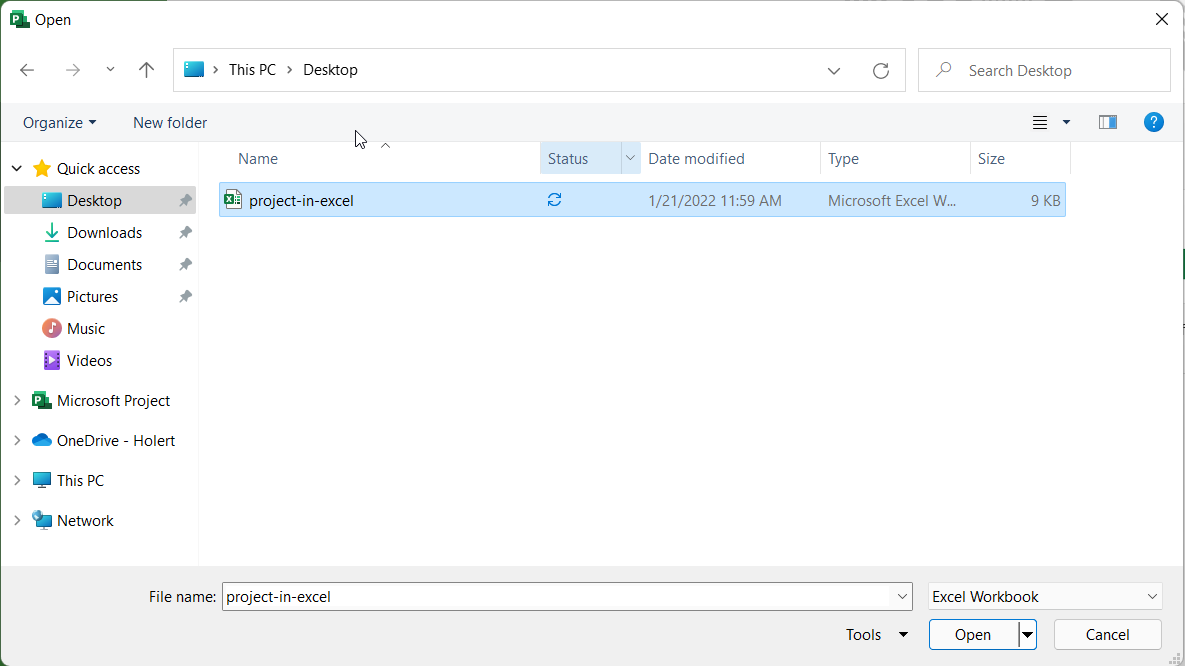
Select and open the Excel project file.
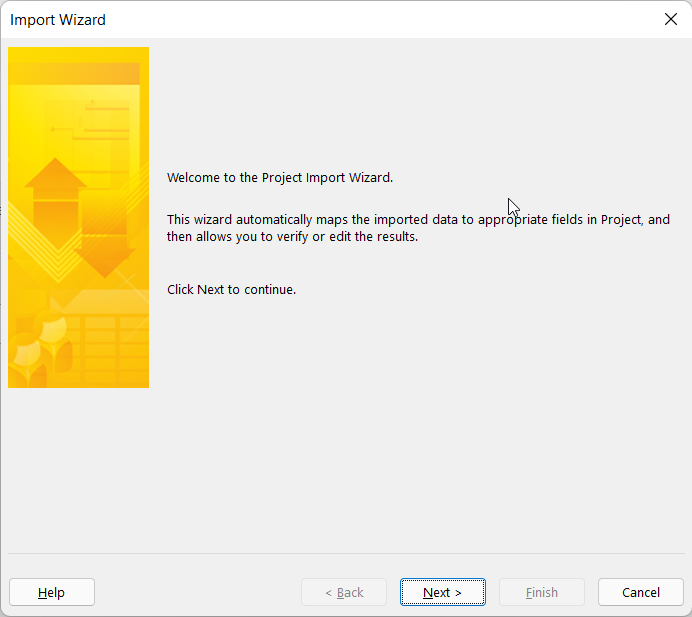
Click next in the Microsoft Project import wizard.
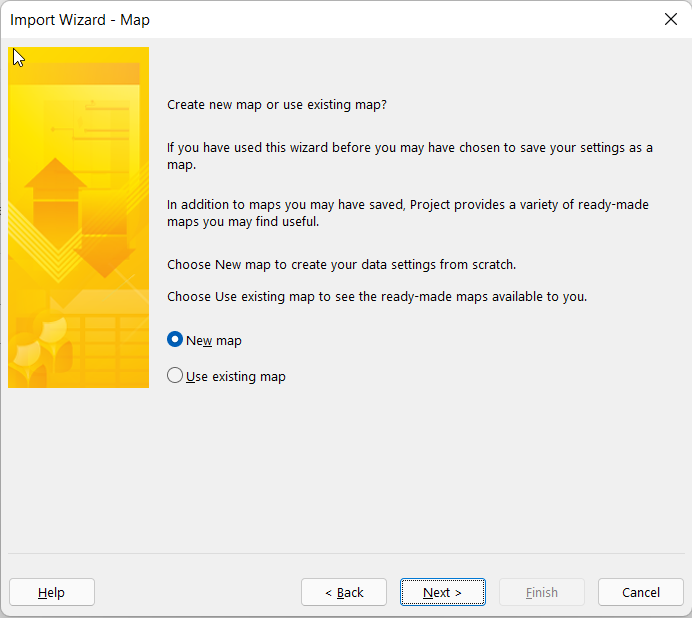
Click to continue.
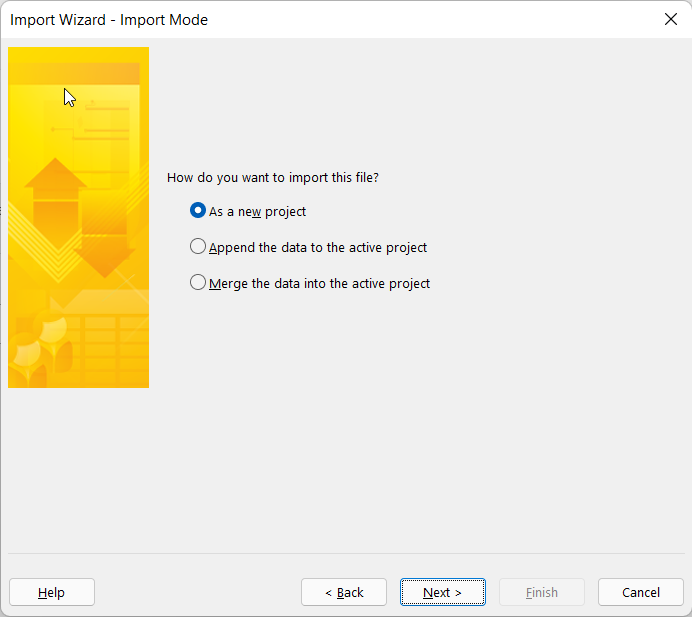
Click to continue.
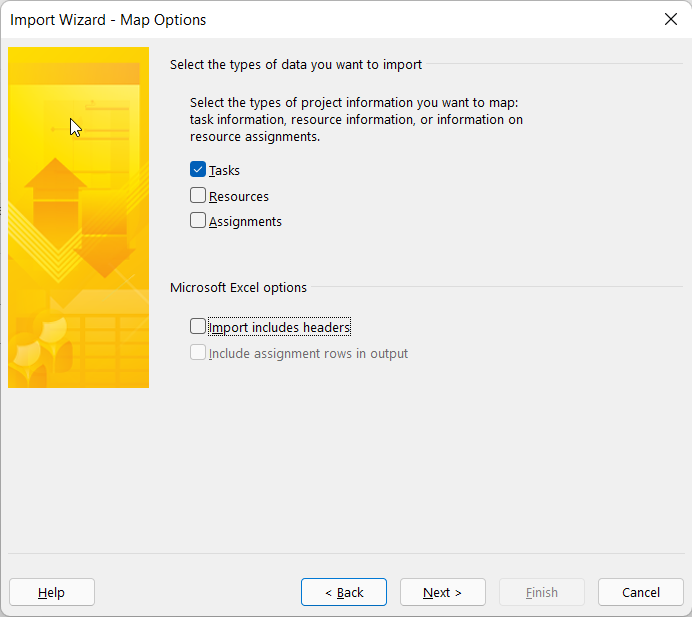
Select the task and deactivate the import of column headers in the example and click next.
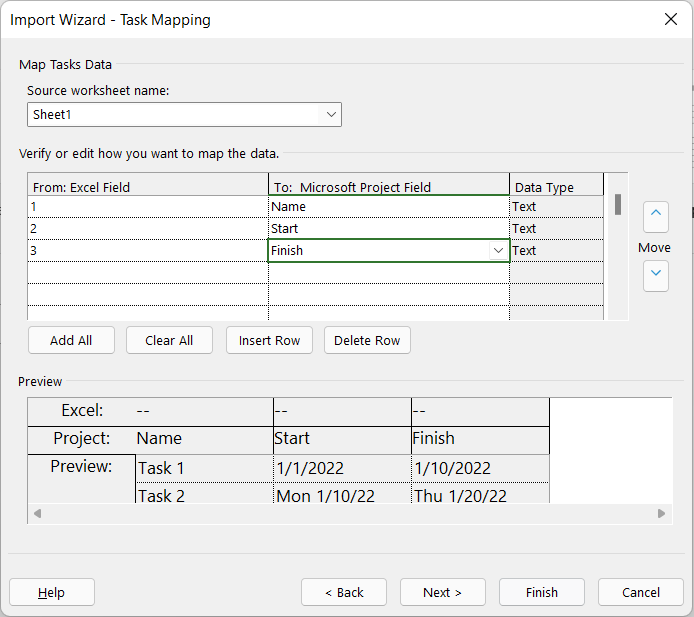
Assign the columns from Excel to the columns in Project. In the example, click Name, Start and End and continue.
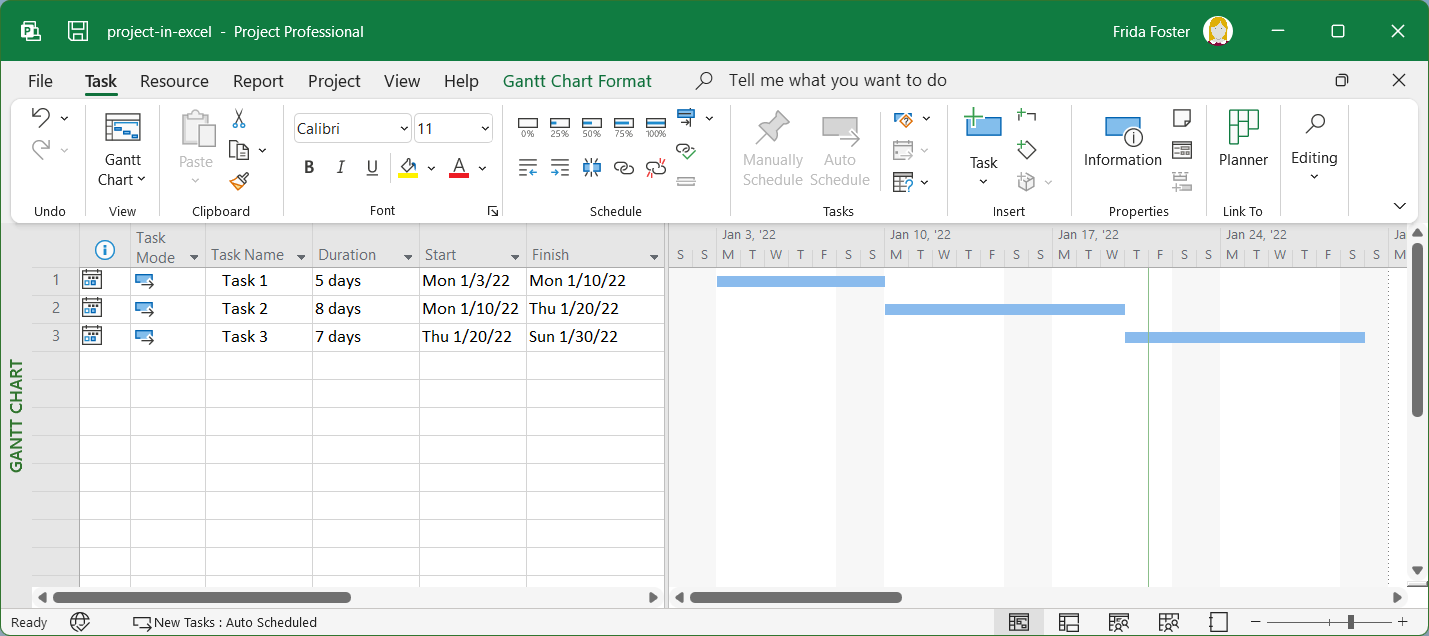
You will then see the Excel file in MS Project.
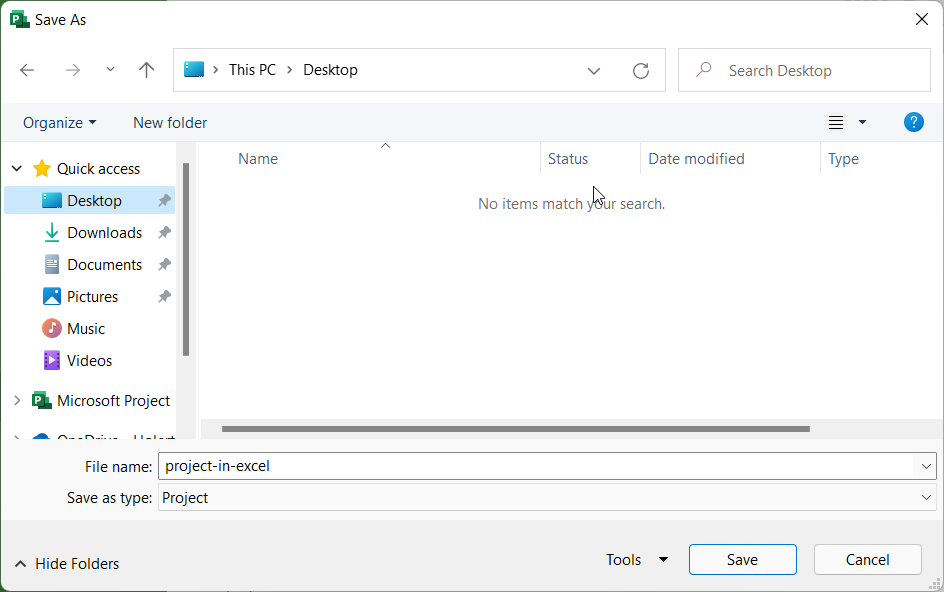
Save the task list as an MS Project file.
Importing an mpp file is not available in Planner itself. Microsoft points to the Planner Power App instead — it was called Project Power App until 2025, the functionality is unchanged, and the underlying Dataverse tables were not renamed. Go to Power Apps and open the Planner app.
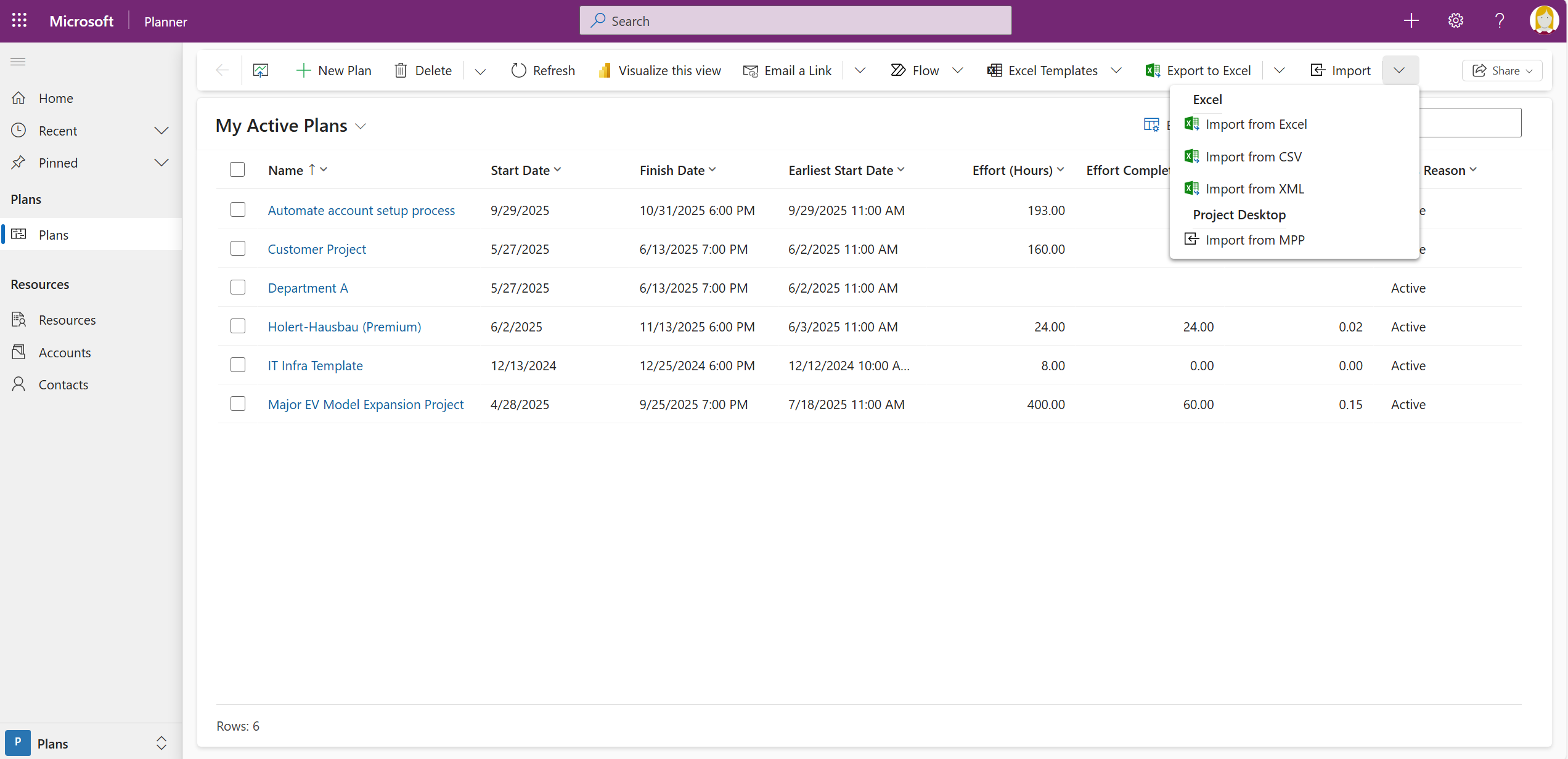
The command sits in the ribbon of the My Active Projects tab. The screenshots show it labelled Import from mpp; in the Microsoft instructions the same command is called Import from Project.
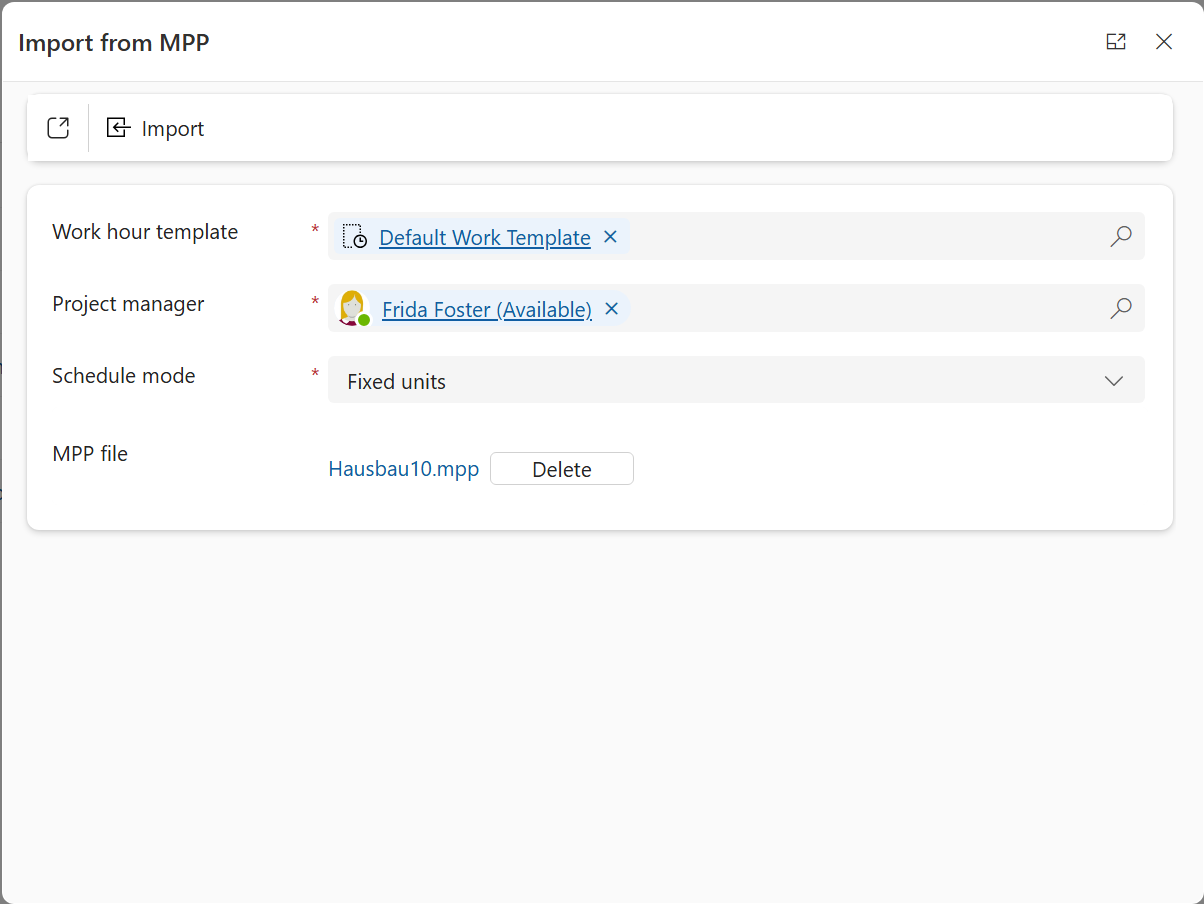
Select the previously saved project file and click Import. The wizard then asks which custom fields to bring across — up to ten. Finally it reports which features of your Project file are not supported in Planner Premium and what it adjusted. If the plan exceeds the Planner Premium limits and boundaries, the import fails with an error.
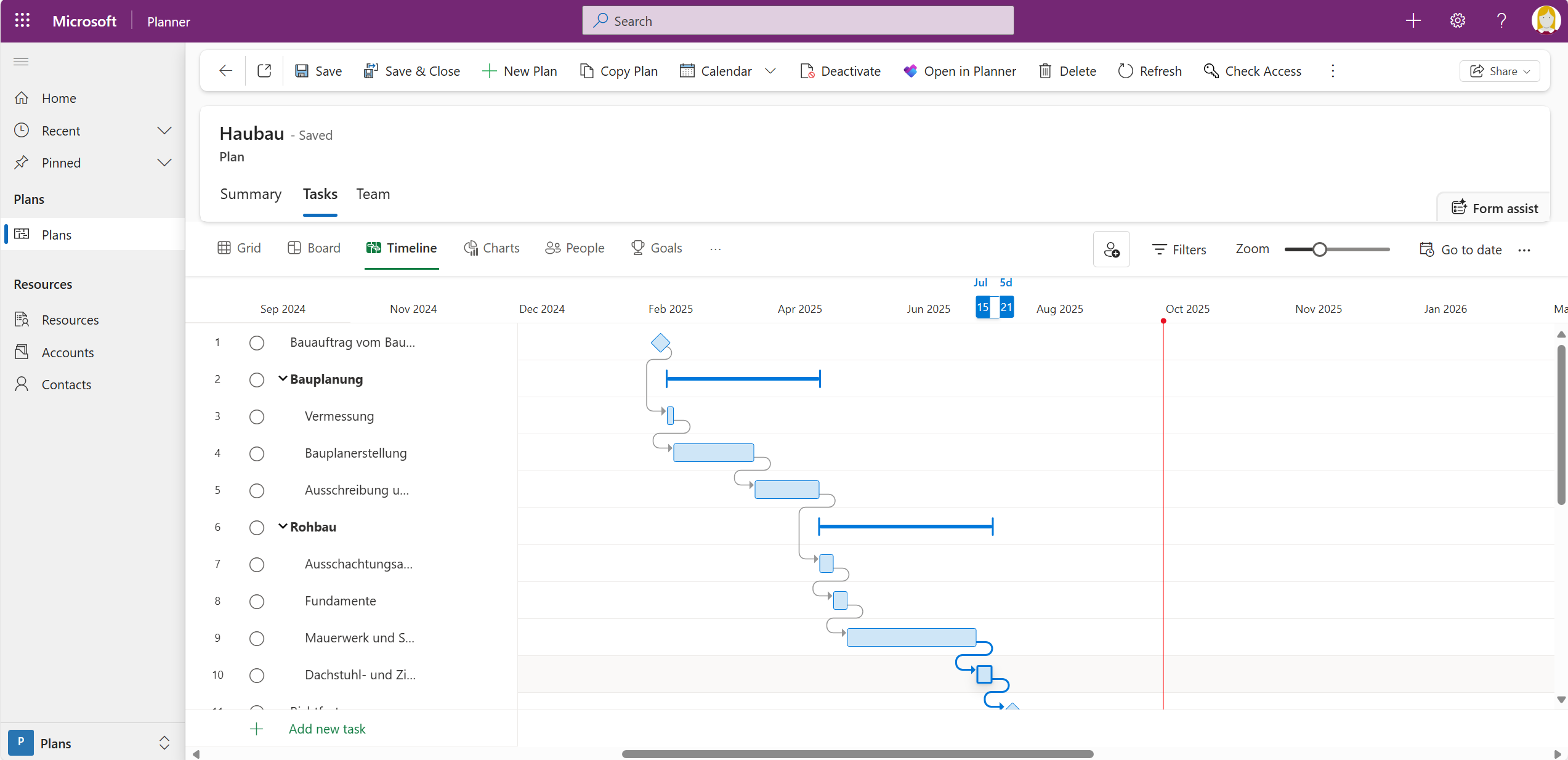
You will then see all the data from Microsoft Excel in Planner Premium. Your mpp file is left untouched — if the result does not fit, delete the plan and start again.
The path described above requires a Microsoft Project license, because the Excel file only becomes an mpp file in the Project desktop app. Since 15 June 2026 there is an alternative without that intermediate step: Planner Agent in Microsoft 365 Copilot — formerly Project Manager Agent — is generally available and creates plans and tasks from enterprise files such as Word, Excel and PowerPoint documents. Every plan, task and update the agent produces is created as a draft first and only applied once you approve it. A Microsoft 365 Copilot license is required.
The agent removes the column mapping work, but it does not deliver a scheduled network model: task dependencies, baselines and date calculation remain the domain of Microsoft Project and the premium views in Planner. For an Excel list without dependencies the agent is the faster route; as soon as dates depend on each other, the mpp import remains the dependable option. If the result starts out as a basic plan, it can be converted into a premium plan afterwards.
If Microsoft Project stays the leading planning environment and Planner is only meant to be the team's window into it, a one-off import is the wrong answer in the first place — what you need then is a permanent synchronisation. For exactly this case Microsoft explicitly points to partner solutions that import mpp files and keep them synchronised with premium plans. We describe what that looks like in sharing Microsoft Project tasks in Microsoft Planner with Project2Planner.
You can find more on the feature set and licensing in our article on the Microsoft Planner Premium plans. If you need a cross-plan overview, sync your Planner Basic and Planner Premium plans with Altus PPM and add missing features such as baselines, resource management and portfolio management.
Can I import an Excel file directly into Planner Premium?
No. Planner itself has no import function for Excel or mpp files. You either go through Microsoft Project and the Planner Power App, or through Planner Agent in Microsoft 365 Copilot.
Do I need a Microsoft Project license?
For the path described in this article, yes: converting the Excel file into an mpp file happens in the Project desktop app. The Planner Agent route needs a Microsoft 365 Copilot license instead.
What data is lost in the mpp import?
The import brings across at most ten custom fields. Features of the Project desktop app that Planner Premium does not know are dropped; the wizard lists them at the end. If the plan exceeds the Planner Premium limits and boundaries, the import fails.
Where do I find the Planner Power App?
In Power Apps, as the app called Planner. It was called Project Power App until 2025; the underlying Dataverse tables were not renamed.
The import gets the tasks into Planner Premium. It does not answer who maintains the dates from now on, how capacity is checked, whether baselines are kept, and how several plans roll up into a portfolio. That is where moves away from Excel fail in practice: the data has moved, the way of working has not.
Holert implements project, programme and portfolio management on Microsoft and Atlassian — from tool selection through implementation to training, methodically aligned with PMI and SAFe, technically on Microsoft Planner, Project, Dataverse and Power Apps as well as Altus PPM, Projectum xPM and Jira. To get started there is the fixed-price package Smart Start for implementing project management software. That the combination of Altus PPM and Microsoft Planner holds up in practice is shown by Amer Sports, Stadtreinigung Hamburg and swoboda, among others — see further project and portfolio management customer references.